
Table of Contents
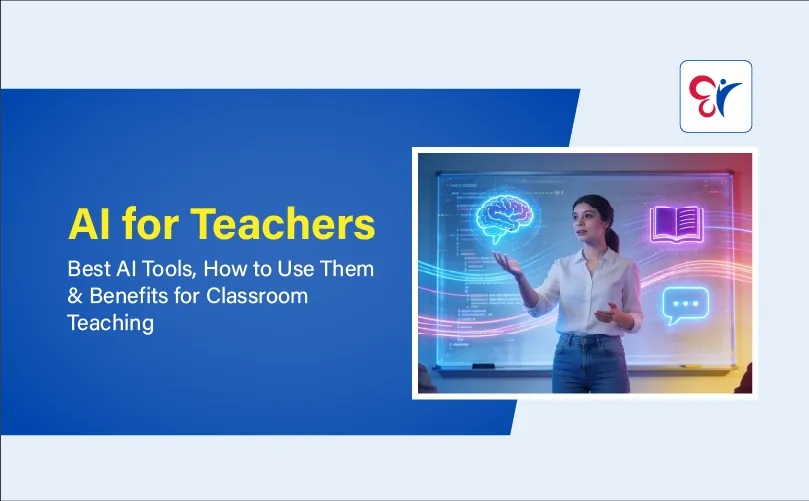
Artificial Intelligence (AI) is transforming how teachers plan lessons, create learning materials, assess students and manage classrooms. AI tools for teachers help save time, simplify complex topics and make learning more interactive and accessible. From generating worksheets to preparing quizzes and personalised activities, AI supports modern teaching methods. By reading this article, the best AI tools for teachers in 2026, their classroom applications, key benefits and practical ways to use AI responsibly in education.
What Is AI for Teachers?
AI for teachers refers to the use of artificial intelligence tools to support lesson planning, educational content creation, student assessment, personalised learning and classroom management. These tools can generate text, organise information, suggest activities and help teachers prepare learning resources based on specific instructions.
For example, a teacher can use an AI-powered educational tool to prepare a lesson plan, generate multiple-choice questions, simplify a difficult topic or create different worksheets for students at various learning levels.
AI in teaching can also help educators develop new classroom activities and provide additional practice materials. Instead of spending excessive time on repetitive preparation tasks, teachers can focus more on explaining concepts, interacting with students and addressing individual learning needs.
The effectiveness of AI depends on how teachers use it. Reviewing generated content, checking factual accuracy and adapting materials to the prescribed syllabus remain essential.
Best AI Tools for Teachers in 2026
The best AI tools for teachers depend on their teaching requirements, subject, students' age groups and available resources. Some tools support lesson planning and writing, while others help create visual learning materials, interactive quizzes and assessments.
1. ChatGPT - AI Tool for Lesson Planning and Content Creation
ChatGPT can help teachers prepare lesson plans, worksheets, quizzes, classroom activities, explanations and revision materials. By providing clear instructions about the subject, grade level and learning objectives, teachers can generate resources suited to their classrooms.
Uses of ChatGPT for teachers:
- Create structured lesson plans and teaching outlines.
- Generate multiple-choice questions and practice exercises.
- Explain difficult concepts in simple language.
- Prepare classroom discussion questions and assignments.
- Develop revision notes and topic summaries.
ChatGPT is particularly useful for teachers who want to save time when preparing educational content. All generated materials should be checked before classroom use.
2. Google Gemini - AI for Teaching Ideas and Learning Resources
Google Gemini can help teachers brainstorm teaching strategies, explain academic concepts, prepare educational content and develop classroom activities. Depending on account access and supported features, it can also assist with workflows involving Google services.
Uses of Google Gemini for teachers:
- Generate ideas for interactive classroom teaching.
- Prepare summaries and topic-based explanations.
- Create questions for classroom discussions.
- Develop project ideas and assignment instructions.
- Organise ideas for presentations and educational resources.
Teachers can adapt the suggestions to their subject requirements and students' learning levels.
3. MagicSchool AI - AI-Powered Tools for Educators
MagicSchool AI is an education-focused platform designed to assist teachers with common teaching and administrative tasks. Its available tools support lesson planning, assessment creation, differentiated instruction and the preparation of classroom resources.
Uses of MagicSchool AI for teachers:
- Generate lesson plans for specific grade levels.
- Create worksheets and assessment questions.
- Develop rubrics for evaluating student work.
- Prepare differentiated learning activities.
- Draft classroom instructions and writing prompts.
This platform can be useful for educators who want teaching-focused AI features in one place.
4. Canva AI - AI Tools for Educational Presentations
Canva offers design tools and AI-powered features that help teachers prepare attractive educational resources. Teachers can use it to present information visually and make classroom lessons easier to follow.
Uses of Canva AI for teachers:
- Design educational presentations and slides.
- Create posters, charts and infographics.
- Prepare worksheets and revision materials.
- Develop visual summaries of difficult concepts.
- Design classroom activity sheets and project resources.
Visual learning materials can be particularly helpful when explaining processes, comparing concepts, or summarising large amounts of information.
5. Quizizz (Wayground) - AI for Quizzes and Student Assessment
Quizizz, now known as Wayground, provides interactive learning and assessment features. Its available AI capabilities can help teachers develop quizzes and educational activities that encourage student participation.
Uses of Quizizz for teachers:
- Create interactive quizzes for revision.
- Prepare formative assessments.
- Conduct classroom knowledge checks.
- Identify topics that require additional practice.
- Review student responses to guide further teaching.
Teachers should review generated questions, answers and assessment settings before sharing activities with students.
6. Microsoft Copilot - AI for Teaching Productivity
Microsoft Copilot can assist teachers with content drafting, summarisation, brainstorming and educational resource preparation. Depending on the account and subscription, supported features may also be available within Microsoft applications.
Uses of Microsoft Copilot for teachers:
- Draft lesson outlines and classroom instructions.
- Summarise educational information.
- Generate assignment and project ideas.
- Organise teaching notes and learning content.
- Assist with document and presentation preparation.
Teachers should compare the features, privacy policies, pricing and access requirements of these AI platforms before selecting one.
Download AI for Teacher Course Syllabus Prepared by CC Learning App
Click Here to Download
How to Use AI in Education: 7 Practical Applications for Teachers
AI can support teachers at different stages of the teaching process. The following AI applications in education demonstrate how educators can use these tools to improve lesson preparation and classroom learning.
1. Use AI for Lesson Planning
AI lesson planning tools can help teachers prepare structured lessons with learning objectives, teaching activities, examples and assessment questions. They are particularly useful when teachers need to develop resources for several topics or grade levels.
For better results, include the subject, class, topic, lesson duration and expected learning outcomes in the prompt.
Example AI prompt for teachers:
"Create a 40-minute lesson plan on the water cycle for Class 6 students. Include three learning objectives, a simple explanation, one interactive classroom activity and five assessment questions."
Teachers should review the generated lesson plan and adapt it to the prescribed syllabus, available resources and students' needs.
2. Generate Worksheets and Question Papers
AI tools for teachers can generate worksheets, multiple-choice questions, fill-in-the-blanks, short-answer questions and revision exercises. These resources can help teachers provide additional practice without preparing every question from scratch.
For example, a mathematics teacher can generate fraction exercises at different difficulty levels, while an English teacher can create grammar worksheets on active and passive voice.
Teachers can also request answer keys and explanations. However, every question and answer should be verified before distribution.
3. Simplify Difficult Concepts with AI
Students may need different explanations to understand complicated academic concepts. AI tools can help teachers prepare simplified explanations, practical examples, analogies and step-by-step descriptions.
A science teacher, for instance, can request an explanation of photosynthesis suitable for primary school students. A physics teacher can use everyday examples to explain Newton's laws of motion.
These AI-generated explanations can supplement classroom teaching, but teachers should check their accuracy and ensure they match the students' learning level.
4. Personalise Learning with AI Tools
Personalised learning is one of the important applications of AI in education. Students learn at different speeds and teachers may need to provide additional support or more challenging exercises depending on their progress.
AI can help educators create:
- Simplified reading materials for students who need additional support.
- Extra practice questions for difficult topics.
- Advanced exercises for students who have mastered the basics.
- Alternative explanations of the same concept.
- Revision activities based on common learning difficulties.
Teachers should use these materials to support students rather than relying on AI alone to judge their abilities.
5. Create Quizzes and Assessments
AI-powered assessment tools can help teachers prepare classroom quizzes, question banks, revision tests and formative assessments. These resources can be used to check whether students understand a topic before moving to the next lesson.
Teachers can review student responses, identify common mistakes and plan follow-up activities. Automated scores and feedback should be checked carefully, especially when assessments contribute to important academic decisions.
6. Design Presentations and Visual Learning Materials
AI-assisted design tools can help teachers create educational presentations, diagrams, posters and infographics. These resources make it easier to present complex information in a visual format.
For example, teachers can create a labelled plant cell diagram, a historical timeline, a geographical process chart or a visual summary of a mathematical formula.
Visual learning resources should be reviewed to ensure that labels, diagrams and factual information are correct.
7. Support Language Learning and Writing Practice
AI can help teachers prepare grammar exercises, vocabulary lists, reading comprehension passages, writing prompts and speaking activities. Language teachers can also use AI to develop sample conversations and explanations of common grammatical errors.
These resources can provide additional opportunities for practice. Students should still be encouraged to write independently, express their own ideas and understand the corrections suggested by AI tools.
Benefits of AI in Education for Teachers and Students
Using artificial intelligence in education can offer several benefits when the tools are selected carefully and applied appropriately.
1. Saves Time on Teaching Preparation
Creating lesson plans, worksheets, quizzes and presentations can take considerable time. AI can help teachers draft these resources more quickly, leaving more time for classroom interaction, individual guidance and lesson improvement.
2. Supports Personalised Learning
AI tools can help teachers prepare different learning materials for students with varying levels of understanding. Additional explanations, practice exercises and differentiated worksheets can support more flexible classroom instruction.
3. Improves Classroom Engagement
Interactive quizzes, educational presentations, visual resources and AI-assisted activities can make lessons more engaging. Teachers can use these resources to encourage participation, discussions and active learning.
4. Encourages Creative Teaching Methods
AI can suggest project ideas, group activities, role-play exercises, experiments and real-world examples. Teachers can use these suggestions to introduce variety into their classroom teaching methods.
5. Helps Teachers Identify Learning Gaps
AI-supported assessment tools can help educators identify common errors and topics where students may need more practice. Teachers can use this information to plan revision sessions and provide targeted support.
6. Improves Accessibility in Learning
Depending on the available features, AI tools can support text simplification, translation, captions, transcription and text-to-speech. These features can help teachers prepare learning materials for students with different language abilities and accessibility needs.
7. Supports Professional Development
Teachers can use AI to explore new teaching strategies, learn about educational technologies, develop digital resources and generate ideas for improving classroom activities. Reviewing AI generated suggestions can also encourage educators to evaluate different approaches to teaching.
Best Practices for Using AI Tools for Teachers
To use AI effectively in classroom teaching, educators should follow these practical guidelines.
- Write clear prompts: Include the subject, grade level, topic, learning objectives and required format.
- Verify generated content: Check facts, calculations, examples, references and answer keys.
- Align materials with the syllabus: Adapt AI-generated resources to the curriculum and learning outcomes.
- Protect student information: Avoid sharing identifiable or sensitive student data without appropriate authorisation and safeguards.
- Encourage independent thinking: Use AI as a starting point for discussion, problem-solving and critical evaluation.
- Review AI tools regularly: Check current features, pricing, age restrictions and privacy policies.
- Maintain teacher supervision: Make the final decisions about lesson content, assessment, feedback and student support.
The aim is not to use AI for every classroom task. Teachers should choose tools that solve specific problems and improve the learning experience.
Future of AI in Education: What Teachers Can Expect
The future of AI in education may include more personalized learning resources, adaptive practice activities, automated assistance with routine tasks and improved accessibility features. AI-powered educational tools may also give teachers more ways to analyse learning progress and develop resources suited to different student needs.
At the same time, effective teaching will continue to depend on subject knowledge, empathy, communication, creativity and classroom experience. AI can assist with repetitive tasks, but meaningful teacher-student relationships remain central to education.
Developing AI literacy will help teachers understand the capabilities and limitations of these tools, evaluate AI-generated information and guide students towards responsible technology use.
Start Your AI Teaching Journey Today
Artificial Intelligence is no longer just a future concept; it is becoming an important part of modern classrooms. Teachers can use AI tools to plan lessons, create worksheets, prepare quizzes, design presentations and develop interactive learning activities. These tools can reduce preparation time and help educators make lessons more engaging, creative and accessible to students with different learning needs.
The AI for Teachers Course by CC Learning App helps teachers explore practical ways to use artificial intelligence in their teaching. Whether you are an experienced educator or just starting your teaching career, this course can help you build useful digital skills and bring new ideas into your classroom.
Take the first step towards smarter teaching! Download the CC Learning App and enrol today.
Join CC Learning and Learn More About the Course AI for Teachers
Enrol Now
Frequently Asked Questions
1. What are the best AI tools for teachers in 2026?
Some useful AI tools for teachers include ChatGPT for lesson planning and content creation, Google Gemini for teaching ideas, MagicSchool AI for education-focused tasks, Canva AI for visual learning materials, Quizizz for interactive assessments and Microsoft Copilot for productivity.
2. How can teachers use AI in the classroom?
Teachers can use AI to create lesson plans, generate worksheets, prepare quizzes, simplify difficult concepts, design presentations, develop personalised learning materials and support language practice. AI-generated content should be reviewed before use.
3. What are the benefits of AI in education?
The benefits of AI in education include saving preparation time, supporting personalised learning, improving classroom engagement, generating teaching resources, helping identify learning gaps and improving access to different learning formats.
4. Are there free AI tools for teachers?
Some AI platforms provide free versions or limited free features. Availability, usage limits and access to advanced tools may vary. Teachers should check current pricing and account requirements before choosing a platform.
5. Can AI replace teachers in the future?
AI can assist with lesson planning, content creation and routine tasks, but it cannot fully replace teachers' professional judgement, empathy, classroom management and personal guidance. Teachers remain essential to effective learning.
6. How can AI help with lesson planning?
AI can generate lesson outlines, learning objectives, classroom activities, examples and assessment questions based on a teacher's instructions. Teachers should adapt these suggestions to the syllabus, lesson duration and students' learning requirements.
7. Is AI safe to use in classroom teaching?
AI can be used more responsibly when teachers verify generated content, follow school policies, check platform privacy practices and avoid sharing confidential student information. Human supervision is essential when AI tools are used for educational decisions.
8. How can teachers use AI to personalise learning?
Teachers can use AI to create worksheets at different difficulty levels, prepare additional practice questions, simplify explanations and develop alternative learning resources. These materials can support individual needs when combined with teacher guidance.
Notifications
Trending Updates



Related Blogs

November 8, 2025
AI for Teachers Course in Kerala | Learn the Best AI Tools for Educators
3 minute read
June 23, 2026
10 Common Grammar Mistakes That Affect Your Spoken English
9 minute read
March 13, 2026
20 Best Yoga Asanas (Yoga Poses) for Beginners - Benefits, Steps & Precautions
10 minute read
January 9, 2026