
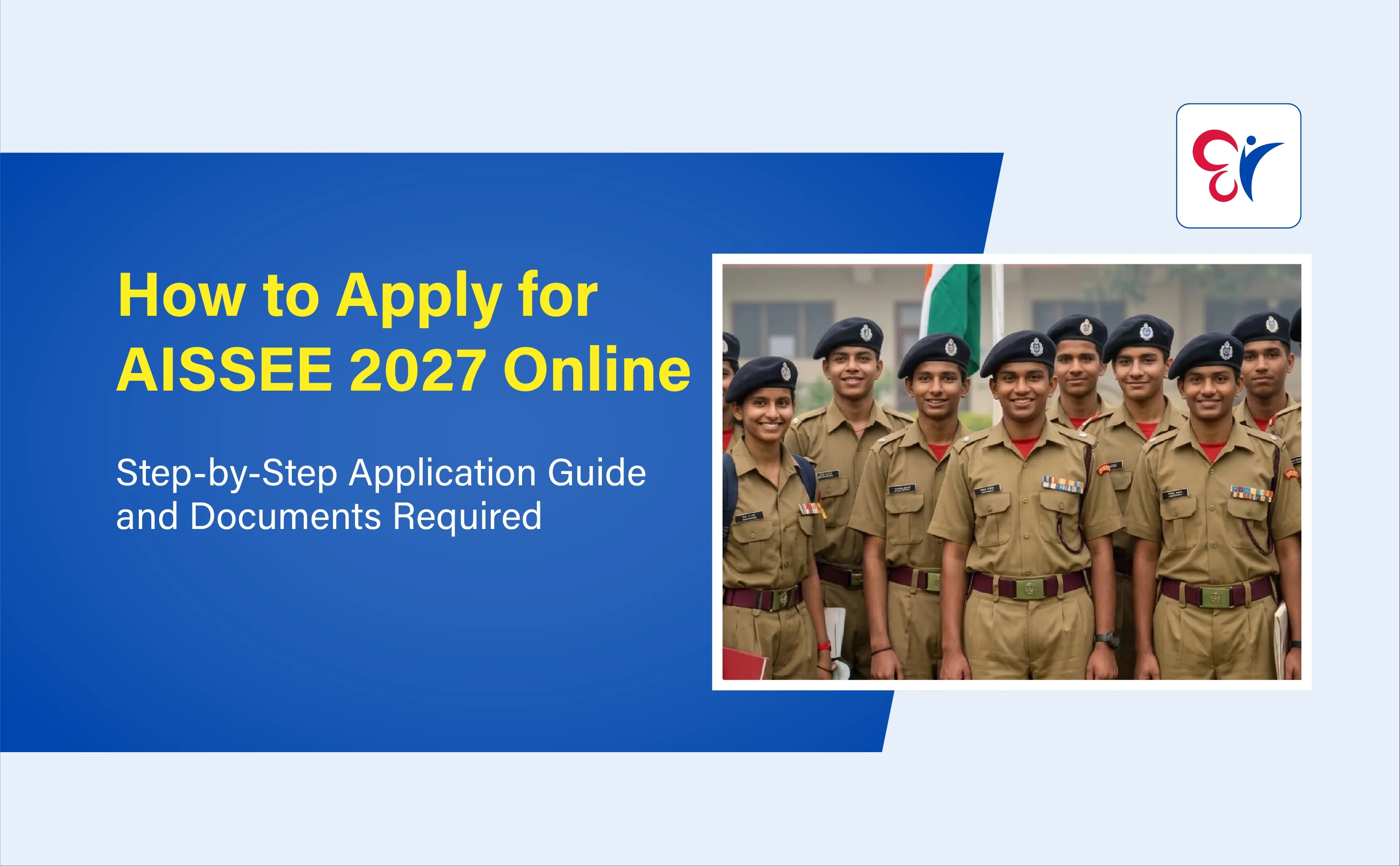
Table of Contents
Sainik School admission for the academic year 2027-28 has begun. The first step is to complete the All India Sainik Schools Entrance Examination (AISSEE) 2027 application form correctly. The National Testing Agency (NTA) conducts the AISSEE application process online for students seeking admission to Class 6 and Class 9 in Sainik Schools and approved New Sainik Schools across India.
Scroll down to learn how to apply for AISSEE 2027 online, which documents to keep ready, how to upload photographs and certificates, how to pay the application fee and how to confirm successful submission.
Whether your child is applying for Class 6 or Class 9, follow these steps to complete the Sainik School entrance exam application without missing any important instructions.
AISSEE 2027 Application: Important Details
Parents and students should be careful while filling out the AISSEE 2027 Application. Details such as the candidate's name, date of birth, domicile, category, school preference and examination city must be entered correctly. Scanned documents must also meet the specifications mentioned in the official AISSEE 2027 information bulletin.
Before starting the Sainik School Entrance registration process, check the important application details.
Particulars | Details |
Exam Name | All India Sainik Schools Entrance Examination (AISSEE) 2027 |
Conducting Authority | National Testing Agency (NTA) |
AISSEE 2027 Admission Year | 2027–28 |
AISSEE 2027 Admission Classes | Class 6 and Class 9 |
AISSEE 2027 Application Mode | Online only |
Official Sainik School Entrance Application Website | |
AISSEE 2027 Registration Start Date | 3 November 2026 |
Last Date to Apply for AISSEE 2027 Without Late Fee | 2 December 2026 |
AISSEE 2027 Late Application Window | 3–6 December 2026 |
AISSEE 2027 Application Correction Window | 7–9 December 2026 |
AISSEE 2027 Exam Date | 31 January 2027 |
AISSEE 2027 Eligibility and Application Requirements
Do not start filling out the AISSEE 2027 application form without preparing the required details and documents.
The NTA advises candidates to read the AISSEE 2027 information bulletin and ensure that they satisfy the prescribed eligibility requirements before applying.
Here is what parents should check first.
A. Confirm Your Child's Eligibility
AISSEE 2027 provides admission opportunities for Class 6 and Class 9.
Check your child's date of birth and educational eligibility before selecting the admission class.
Admission Class | Age Requirement as on 31 March 2027 | Date of Birth Range |
Class 6 | 10–12 years | 1 April 2015 to 31 March 2017 |
Class 9 | 13–15 years | 1 April 2012 to 31 March 2014 |
For Class 9 admission, the candidate must also have passed Class 8 from a recognised school at the time of admission.
B. Check the Available Sainik Schools and Vacancies
Before applying, go through the tentative vacancy details provided in the AISSEE 2027 Information Bulletin.
The bulletin includes school-wise and category-wise vacancy information for different admission classes.
Parents should understand the following:
- AISSEE 2027 Vacancies may differ between schools and categories.
- A vacancy that is unavailable at the time of application may arise later due to withdrawal of cadets or other reasons.
- Registration is accepted across categories, irrespective of the initially available vacancies.
- If no vacancy is available in a particular category, the candidate may be considered under the General category as per the applicable admission rules.
- Applying under a particular category does not guarantee Sainik School admission under that category.
Therefore, do not assume that selecting a school or category in the application form guarantees a seat.
C. Keep Your Login and Payment Details Ready
Before starting AISSEE 2027 registration, keep these details accessible:
- Active mobile number
- Active email address
- Candidate's personal details
- Parent or guardian details
- Complete postal address
- Identity proof details
- Debit card, credit card, net banking or UPI facility for fee payment
- Mobile phone for receiving OTPs
Preparing these details in advance will make the Sainik School Entrance application process easier.
Documents Required for AISSEE 2027 Application
One of the most important parts of the AISSEE 2027 application process is uploading the correct documents in the prescribed format.
Parents should scan the documents clearly and check their file size before uploading them.
Complete AISSEE 2027 Document Checklist | ||
Document | Format / File Size | Purpose |
Candidate's Passport-Size Photograph | JPG, 10 KB–200 KB | Candidate identification |
Candidate's Signature | JPG, 10 KB–50 KB | Application verification |
Candidate's Left-Hand Thumb Impression | JPG, 10 KB–50 KB | Candidate identification |
Date of Birth Certificate | PDF, 50 KB–300 KB | Age verification |
Domicile Certificate | PDF, 50 KB–300 KB | State/UT residence verification |
Category Certificate | PDF, 50 KB–300 KB, if applicable | Category reservation claim |
Service Certificate | PDF, 50 KB–300 KB, if applicable | Defence personnel/ex-servicemen category |
Identity Proof | Details as accepted in the application form | Identity verification |
School Certificate | As applicable | Required for students of approved New Sainik Schools |
Important Instructions for Each Document
1. Candidate's Photograph
The candidate's photograph must meet the following requirements:
- Recent passport-size colour photograph.
- File format: JPG.
- File size: 10 KB to 200 KB.
- Photographs should be taken on or after 1 July 2026.
- The candidate's face should be clearly visible.
- Approximately 80% of the photograph should cover the face.
- Both ears should be clearly visible.
- Use a white background.
- Do not wear a cap or goggles.
- Spectacles are allowed only if the candidate uses them regularly.
- Polaroid and computer-generated photographs are not accepted.
The photograph should be clear enough to identify the candidate.
Note that do not upload another person's photograph or an edited, fabricated or computer-generated image. Such uploads may lead to rejection of the application and action under the unfair means provisions.
Candidates are also advised to keep 6–8 recent passport-size colour photographs with a white background for future requirements.
2. Candidate's Signature
The candidate must upload their own signature in their AISSEE 2027 application.
Follow these instructions:
- Sign on a clean white sheet of paper.
- Use a black ink pen.
- Write the full signature in running handwriting.
- Do not write the signature entirely in capital letters.
- Scan the signature clearly.
- File format: JPG.
- File size: 10 KB to 50 KB.
Applications without a properly uploaded signature may be rejected.
3. Candidate's Left-Hand Thumb Impression
The candidate must upload their own left-hand thumb impression.
Instructions:
- Take a clean white sheet of paper.
- Apply blue ink to the left thumb.
- Place the thumb impression clearly on the paper.
- Scan the impression.
- File format: JPG.
- File size: 10 KB to 50 KB.
Make sure the impression is clear and not blurred.
4. Date of Birth Certificate
A valid date of birth certificate is required to verify the candidate's age.
The certificate should be issued by an authorised authority, such as:
- Municipal Committee
- Municipal Board
- Municipal Corporation
- Registrar of Births and Deaths
Check that the date of birth mentioned in the certificate matches the details entered in the application form.
5. Domicile Certificate
A domicile certificate is required to verify the candidate's State or Union Territory of residence.
Important instructions:
- Upload the candidate's domicile certificate in the prescribed PDF format.
- If the candidate's domicile certificate is not available, the parent's domicile certificate may be uploaded in the relevant field.
- Successful candidates must produce the required proof of domicile during admission.
- The certificate should be issued by the concerned State Government or Union Territory authority.
6. Category Certificate
Candidates applying under applicable reserved categories should upload the relevant certificate.
For OBC-NCL candidates, the category must be based on the Central List of Other Backward Classes published by the National Commission for Backward Classes (NCBC).
A candidate belonging to a State or Union Territory OBC list but not included in the Central OBC-NCL list must select General in the application form.
7. Defence Service Certificate
Candidates claiming the applicable Defence or Ex-Servicemen category should keep the required service certificate ready.
The certificate must support the category selected in the application form.
8. School Certificate for Approved New Sainik School Students
Students currently studying in an approved New Sainik School must upload the required certificate issued by their school in the prescribed format provided in Appendix XII of the Information Bulletin.
How to Apply for AISSEE 2027 Online: Step-by-Step Process
The AISSEE 2027 application process is divided into three main stages:
- Online Registration
- Filling in the Application Form and Uploading Documents
- Payment of Examination Fee and Confirmation
All three stages must be completed successfully for the application to be considered submitted.
Step 1: Visit the Official AISSEE 2027 Website
Open the official NTA AISSEE website:
https://exams.nta.nic.in/sainik-school-society/
Find the AISSEE 2027 application link and select the new candidate registration option.
Before proceeding, download and read the AISSEE 2027 Information Bulletin PDF carefully.
Step 2: Complete the Registration Page
The first stage is to enter the candidate's basic personal and contact details.
Fill in the following information:
A. Candidate and Parent Details
Enter:
- Candidate's name
- Mother's name
- Father's name
- Date of birth
The names should match the details in the school records. The date of birth should match the date of birth certificate or school records.
Enter the date of birth in the prescribed DD/MM/YYYY format.
B. Select Identification Type
Candidates must provide one of the accepted identity details.
The available options include:
- School Identity Card
- PAN Card
- Aadhaar Number (last four digits)
- Passport Number
- Any other government-issued photo identity card
Enter the identification details carefully.
C. Enter Mobile Number and Email Address
Provide an active mobile number and email address belonging to the candidate or their parents.
The NTA will verify these contact details through a One-Time Password (OTP).
Use a mobile number and email address that will remain accessible throughout the examination and admission process.
D. Enter Postal Address
Provide the complete address, including:
- House name or number
- Street or locality
- District
- State or Union Territory
- PIN Code
Enter both correspondence and permanent addresses as required.
After completing the registration details, follow the portal instructions to verify your contact information and create the application login credentials.
Note that mobile number and email address cannot be changed after payment. Therefore, enter these details carefully.
Step 3: Log In and Fill in the Complete Application Form
After completing AISSEE 2027 registration, log in using the credentials generated during the registration process.
Fill in the remaining application details carefully.
The application form will require information relating to the candidate's:
- Personal details
- Gender
- Category
- Domicile State or Union Territory
- Admission class
- School preferences
- Examination city preferences
- Other applicable details
Check every field before proceeding.
Select the Correct Category
Candidates must select their applicable category:
- General
- OBC-NCL
- Scheduled Caste (SC)
- Scheduled Tribe (ST)
- Defence, as applicable
Important information about OBC-NCL: The OBC-NCL category is determined according to the Central List of Other Backward Classes available on the NCBC website as on the first day of the month in which registration begins.
Candidates included only in a State or Union Territory OBC list, but not in the Central OBC-NCL list, must select General.
Select the Correct Domicile State
Choose the candidate's correct domicile State or Union Territory.
The domicile details are important for admission and applicable Home State/Other State seat allocation.
Make sure the information matches the domicile certificate that will be produced during admission.
Step 4: Select School Preferences
Candidates must select their preferred Sainik Schools according to the options available in the application portal.
Before making the selection, parents should:
- Check the list of participating Sainik Schools.
- Review the tentative school-wise vacancies.
- Check the availability of seats for the admission class.
- Consider the domicile and category-related admission rules.
- Review the school's location and other relevant details.
Selecting a particular school does not guarantee admission. Final admission depends on merit, vacancies and the applicable admission conditions.
Step 5: Select Four Examination Cities
Candidates must select any four examination cities from the list provided in Appendix IV of the AISSEE 2027 Information Bulletin.
This is an important step because the examination city and the Sainik School preference are two separate choices.
For example, a candidate may select Sainik School Kodagu as a school preference and choose four examination cities in other locations.
There is no requirement to select an AISSEE 2027 exam city in the same State as the preferred Sainik School.
Important instructions:
- Select four examination cities from the available list.
- Choose cities that are convenient for the candidate.
- Review the order of preference carefully.
- The examination centre is allotted through a computerised process.
- The examination-city choices cannot be changed after they are exercised.
The final All India Sainik Schools Entrance Exam 2027 centre is allotted by the computer system, and the candidate's preferred city is not guaranteed.
Step 6: Upload the Photograph, Signature and Thumb Impression
After completing the application details, upload the required scanned images.
The three important image uploads are:
- Candidate's photograph
- Candidate's signature
- Candidate's left-hand thumb impression
Check the file size and format before uploading.
Image | File Format | File Size |
Photograph | JPG | 10 KB–200 KB |
Signature | JPG | 10 KB–50 KB |
Left-Hand Thumb Impression | JPG | 10 KB–50 KB |
Make sure the images are clear, correctly oriented and uploaded in the respective fields.
Step 7: Upload Other Required Certificates
Upload the applicable certificates in PDF format.
These may include:
- Date of birth certificate
- Domicile certificate
- Category certificate
- Defence service certificate
- Approved New Sainik School studentship certificate, where applicable
The prescribed file size for the applicable certificates is 50 KB to 300 KB in PDF format.
If the candidate's domicile certificate is unavailable, the parent's domicile certificate may be uploaded in the relevant field as permitted by the bulletin.
Before moving to the next step, confirm that every required document has been uploaded successfully.
Step 8: Preview and Verify the Application Form
Before making payment, carefully preview the complete AISSEE application form.
Check the following details:
- Candidate's name
- Mother's and father's names
- Date of birth
- Gender
- Category
- Domicile State or Union Territory
- Admission class
- School preferences
- Examination-city preferences
- Contact details
- Uploaded photograph
- Signature
- Thumb impression
- Other uploaded certificates
If you find an error, make the necessary correction before final submission, wherever editing is permitted.
Do not rush through this stage. Incorrect information may create problems during document verification and admission.
Step 9: Pay the AISSEE 2027 Application Fee
After completing the application form and uploading the documents, proceed to the payment section.
The examination fee can be paid through the available online payment options, including:
- Debit Card
- Credit Card
- Net Banking
- UPI
Select the available payment service provider and follow the instructions displayed on the portal. Any applicable payment processing charges and GST must also be paid by the candidate.
The payment process is complete only when the fee transaction is successful and the application status is updated.
Step 10: Download the AISSEE 2027 Confirmation Page
This is one of the most important steps in the entire AISSEE 2027 application process. After successful payment, the system generates the Confirmation Page.
The generation of the Confirmation Page confirms the final submission of the AISSEE 2027 application form. Download the Confirmation Page and keep a printed or digital copy safely.
Also retain:
- Application number
- Payment receipt or transaction proof
- Confirmation Page
- Copy of the submitted application details
If the Confirmation Page has not been generated, the application should not be considered successfully submitted, even if the amount has been deducted from the bank account.
AISSEE 2027 Application Fee: Important Payment Instructions
Candidates must pay the prescribed examination fee to complete their registration.
Candidate Category | Application Fee |
General | ₹850 |
OBC-NCL (Central List) | ₹850 |
Wards of Defence Personnel and Ex-Servicemen | ₹850 |
Scheduled Caste (SC) | ₹700 |
Scheduled Tribe (ST) | ₹700 |
Late Application Fee (Additional) | ₹500 |
Keep these points in mind while paying:
- Use one of the payment methods available on the official portal.
- Check the amount before confirming payment.
- Do not close the payment page before the transaction is completed.
- Check whether the payment status is shown as successful or OK.
- Download the Confirmation Page after successful payment.
What If the AISSEE Application Fee Is Deducted but the Confirmation Page Is Not Generated?
Sometimes, the AISSEE Application Fee amount may be deducted from the bank account even though the application portal does not display a successful payment status.
In such cases:
- Check the payment status on the application portal.
- Do not assume that the application is complete merely because the amount has been deducted.
- If the payment status is not OK, follow the instructions in the information bulletin.
- For a cancelled credit/debit card transaction, the amount is to be refunded according to the prescribed payment reconciliation process.
- Complete a fresh payment if required and ensure that the updated payment status is successful.
The AISSEE application is treated as complete only when the fee payment is successful and the Confirmation Page is generated.
AISSEE 2027 Application Correction Window
After submitting the AISSEE application form, candidates may get an opportunity to correct certain details through the official correction window.
The AISSEE 2027 schedule provides a correction window from 7 December to 9 December 2026. Candidates should use this opportunity carefully.
Before making corrections, check:
- Which fields are open for editing.
- Whether the required supporting document needs to be uploaded again.
- Whether the corrected information matches the candidate's official documents.
The correction facility is available only during the notified period.
Note that the correction window is provided only once. After it closes, further changes will not be accepted through ordinary requests, including at the counselling or admission stage. Therefore, do not depend on the correction window to fix avoidable mistakes.
AISSEE 2027 Helpdesk Details
For AISSEE 2027 application-related queries, candidates can contact the NTA helpdesk:
- Email: [email protected]
- Phone: 011-40759000 / 011-69227700
For payment-related problems, refer to the payment support details provided on the official NTA contact page.
Read More at:
- What is Sainik School? Benefits and Why It’s Best for Kids
- AISSEE Sainik School Class 6 Syllabus & Exam Pattern 2027
- Sainik School Class 9 Syllabus 2027 - Exam Pattern, Weightage & Topics
- Navodaya vs Sainik School: Which is Better for Your Child in 2027?
- AISSEE 2027 Notification: Expected Exam Date, Application and Eligibility for Classes 6 & 9
Download CC Learning App and start your child’s Sainik School Entrance preparation through experienced and personal guidance!
Join Today!
Prepare for AISSEE 2027 with the Right Guidance
After completing the AISSEE 2027 application process, students should focus on preparing for the entrance exam. AISSEE requires students to develop strong subject knowledge, reasoning ability, problem-solving skills and exam confidence.
CC Learning App, a multi learning platform, offers Sainik School entrance coaching support for students preparing for AISSEE 2027.
With a focus on systematic learning and regular practice, students can strengthen their preparation through:
- Structured classes for entrance examination preparation.
- Concept-based learning to build strong academic foundations.
- Individual Attention
- Subject-wise practice questions.
- Mock tests to understand the examination pattern.
- Regular revision and preparation support.
Download CC Learning App and start your child’s Sainik School Entrance preparation through experienced and personal guidance.
Frequently Asked Questions About AISSEE 2027 Application
How can I apply for AISSEE 2027 online?
Visit the official NTA AISSEE website at https://exams.nta.nic.in/sainik-school-society/. Complete candidate registration, fill in the application form, select school and examination-city preferences, upload the required documents, pay the examination fee and download the Confirmation Page.
What is the official website for Sainik School admission 2027?
The official website for AISSEE 2027 application and examination updates is https://exams.nta.nic.in/sainik-school-society/.
What is the last date to apply for AISSEE 2027?
The last date to submit the AISSEE 2027 application without a late fee is 2 December 2026. A late application window is available from 3 December to 6 December 2026, as per the announced schedule.
What documents are required for AISSEE 2027 registration?
Candidates should keep a recent passport-size photograph, signature, left-hand thumb impression, date of birth certificate, domicile certificate, applicable category certificate, service certificate and identity proof details ready. Students of approved New Sainik Schools may also need to upload the prescribed school certificate.
What is the photo size for the AISSEE 2027 application form?
The candidate's photograph must be in JPG format with a file size between 10 KB and 200 KB. It should be a recent passport-size photograph with a white background and clearly visible face.
What are the signature specifications for AISSEE 2027?
The candidate's full signature must be written in running handwriting using black ink on white paper. It must be uploaded in JPG format with a file size between 10 KB and 50 KB.
Is a thumb impression required for AISSEE 2027?
Yes. Candidates must upload their own left-hand thumb impression on white paper using blue ink. The scanned image must be in JPG format and between 10 KB and 50 KB.
Is an Aadhaar card compulsory for AISSEE 2027?
The 2027 application instructions list several acceptable identification options, including a School ID Card, PAN Card, Aadhaar Number (last four digits), Passport Number or another government-issued photo identity card. Therefore, candidates can use an accepted alternative identity document as specified in the application form.
How many examination cities can I select in AISSEE 2027?
Candidates must select four examination cities from the available list provided in Appendix IV of the Information Bulletin.
Notifications
Trending Updates


Related Blogs
November 5, 2026
All India Sainik Schools Entrance Exam 2027: Apply Online, Eligibility, Exam Date & Preparation Guide
15 minute read
October 22, 2026
AISSEE 2027 Notification: Expected Exam Date, Application and Eligibility for Classes 6 & 9
7 minute read
October 26, 2026